
Active Codes
The table is intentionally small because the official page and the current code-guide cross-check agree on one working code. If more rewards appear in the Roblox description, they should be added here only after a fresh check against the game page or an in-game redemption screen.
Codes are single-use per account. If a code returns an error, first check spelling and capitalization, then check whether the account already redeemed it. Expired code lists from older videos can still rank in search, so do not paste every old word into the redemption box without checking the active table first.
20 Rerolls and 20 Refreshes
| Code | Reward | Status | Checked |
|---|---|---|---|
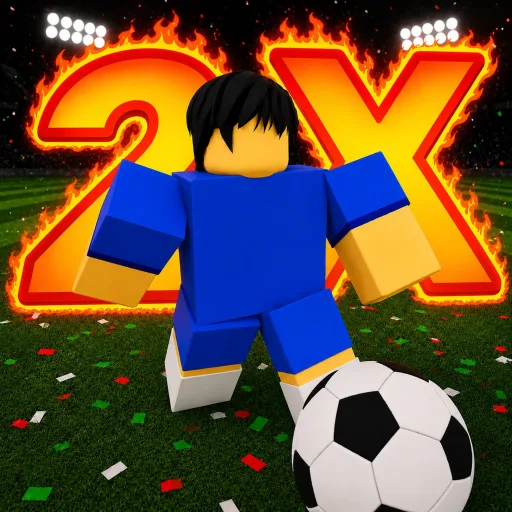
| DOUBLE | 20 Rerolls and 20 Refreshes | Active | 2026-07-05 |
How to Redeem Codes
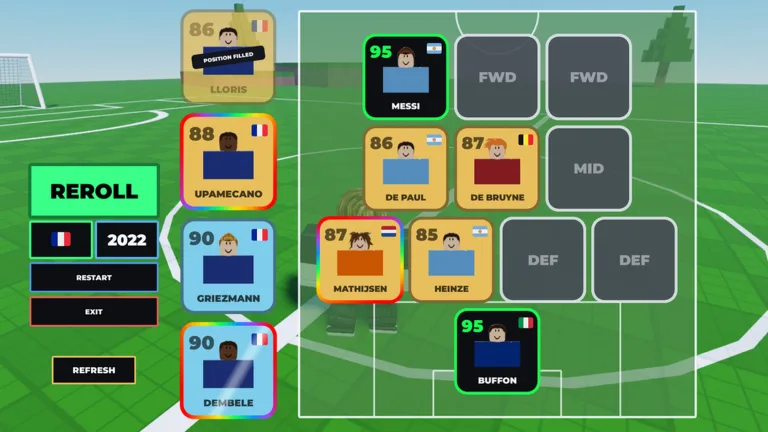
The redemption flow is simple, but the timing matters. A new account can waste the reward by rerolling whatever appears first. A better pattern is to claim dailies, fill the XI, identify the two or three worst slots, and then spend the free attempts on those positions.
If the code button is not visible, check the current screen rather than assuming the code expired. Several Roblox experiences hide side buttons during tutorials, popups, or server transitions. Rejoining a fresh server is also cleaner than repeatedly pressing Enter on a lagging code panel.
-
Open the Roblox experience
Launch Build A Soccer Squad from the official Bloxheed game page, not a similarly named soccer card game.
-
Finish the opening flow
If the menu is locked by the tutorial, build the first squad until the lobby UI appears.
-
Use the CODES button
Open the code panel from the bottom-right menu area, paste DOUBLE exactly, and press Enter.
-
Spend rewards deliberately
Use refreshes to improve the shop or roll options, then spend rerolls on slots that block chemistry or Cup eligibility.
Expired and Risky Codes
Destructoid lists DOUBLE2, CUP, FREE, MONEY, and UPDATE as expired. Treat them as historical references unless the Roblox description or in-game panel brings one back. Old YouTube titles often keep “all working codes” wording long after the game has changed.
Never enter Roblox credentials on a code website. Build A Soccer Squad codes redeem inside Roblox only. A real code does not require a survey, browser extension, group-login page outside Roblox, or a separate “verification” form.
Keep the expired list short on purpose. A long expired table can make a new player think there are hidden rewards to brute force, when the useful action is checking the active row, redeeming it once, and returning to squad planning.
| Expired code | Use now? |
|---|---|
| DOUBLE2 | No; keep for history only unless the official game page restores it. |
| CUP | No; keep for history only unless the official game page restores it. |
| FREE | No; keep for history only unless the official game page restores it. |
| MONEY | No; keep for history only unless the official game page restores it. |
| UPDATE | No; keep for history only unless the official game page restores it. |
Code Error Fixes
Most code failures come from one of four cases: the code was already used on the account, the player typed an extra space, the CODES panel is hidden by the tutorial, or a server is still running an older UI state. Fix those before assuming DOUBLE is expired.
If the game accepts the code, spend the reward in batches. Use a few refreshes to find the right lane, reroll the weakest position, then check the whole XI again. The goal is not to spend all 40 free actions immediately; the goal is to turn them into a stable 93 OVR path.
| Problem | Likely cause | Best fix |
|---|---|---|
| Invalid code | Extra space, wrong case, or old server state. | Paste DOUBLE exactly, then rejoin a fresh server if the panel still rejects it. |
| Button missing | Tutorial or menu overlay is hiding side controls. | Finish the opening squad flow and return to the lobby UI. |
| No reward popup | Lag or account already redeemed the code. | Check reroll and refresh totals before trying again. |
| Reward wasted | Spending before choosing target slots. | Open the team builder first and mark the weakest three positions. |
Code Sources Checked
The safest hierarchy is official game page first, in-game code panel second, then current reputable code-guide pages. This page uses cross-checks only to confirm the current public state; it does not copy their article wording or treat comments as a source.
Codes can change fast during events. The checked date on each row matters because a live Roblox game can rotate rewards without a formal patch note.
When two sources disagree, trust the path closest to the game. A live Roblox description beats an older article, and an in-game success message beats a search snippet. If the code panel rejects a word that a guide still lists as active, move it to expired only after checking spelling, account redemption state, and server freshness.
| Source | URL |
|---|---|
| Roblox game page | https://www.roblox.com/games/82524183928567/Build-A-Soccer-Squad |
| Roblox universe API | https://games.roblox.com/v1/games?universeIds=10265803948 |
| Roblox group API | https://groups.roblox.com/v1/groups/365587858 |
| Pocket Tactics code check | https://www.pockettactics.com/build-a-soccer-squad-codes |
| PCGamesN code check | https://www.pcgamesn.com/build-a-soccer-squad/codes |
| Pro Game Guides code check | https://progameguides.com/roblox/build-a-soccer-squad-codes/ |
| Destructoid code check | https://www.destructoid.com/build-a-soccer-squad-codes/ |